

While entrepreneurs chase the latest AI trends, ordinary businesses are dealing with problems that technology could solve. For freelancers and independent developers, those everyday frustrations may represent opportunities worth investigating.
Consider a hypothetical plumbing company with six employees.
The technicians spend their days visiting customers, repairing pipes, installing fixtures, and responding to emergencies. Meanwhile, the owner handles customer inquiries, prepares estimates, coordinates appointments, and follows up on unpaid invoices.
The business is profitable enough to stay busy. But its administrative processes haven’t kept pace with the workload.
A customer requests a quotation through social media. Another calls while the owner is driving. A third sends an email asking whether a technician can visit tomorrow.
By the end of the day, those inquiries are scattered across three communication channels.
Now imagine a freelancer approaching the owner with an offer to build a beautiful new website.
The website might look impressive. But would it solve the company’s most pressing problem?
Perhaps not.
What the business actually needs may be a simple system that collects service requests, organizes customer information, and helps staff respond consistently.
That distinction reveals an interesting opportunity.
Some of the most useful digital services for small businesses aren’t particularly glamorous. They solve ordinary problems that owners encounter repeatedly.
And those problems exist in industries that rarely appear in conversations about the next big technology startup.
Why Traditional Industries Deserve More Attention
When people discuss online business opportunities, the conversation often turns toward familiar subjects: artificial intelligence, mobile applications, digital products, and software subscriptions.
These markets can offer legitimate opportunities, but they also attract considerable attention.
Meanwhile, plumbers, electricians, cleaning companies, independent repair workshops, and small wholesalers continue operating businesses that depend on practical systems.
Their priorities are often straightforward.
They want to respond to customers, complete jobs, collect payments, manage supplies, and keep their employees productive.
Technology matters when it makes those responsibilities easier.
However, it’s important not to assume that traditional businesses are technologically unsophisticated.
Many already use modern accounting platforms, scheduling applications, customer management systems, and industry-specific software.
Others deliberately use spreadsheets or manual processes because those methods remain efficient at their current scale.
A digital service provider needs to understand the difference.
The opportunity isn’t to replace every manual process with software.
It’s to identify a situation where the current approach creates enough difficulty that an improved solution becomes economically worthwhile.
The Advantage of Understanding One Industry
Imagine two freelancers.
The first offers website development, automation, SEO, dashboards, and software integration to virtually any business.
The second specializes in helping independent equipment rental companies manage online inquiries, rental availability, and customer communication.
The first freelancer has a broader potential market.
The second may understand a narrower customer’s workflow much more deeply.
That specialization can make discovery conversations easier, proposals more relevant, and service delivery more repeatable.
It also allows the freelancer to recognize problems that a general technology provider might overlook.
For example, an equipment rental business may need to distinguish between an inquiry, a confirmed reservation, and equipment that is physically available after inspection.
Those distinctions matter more than whether its website uses the latest design trend.
What Makes a Digital Service Valuable?
A digital service becomes valuable when it improves an outcome the business cares about.
That outcome might involve saving administrative time, reducing errors, organizing customer requests, or improving the reliability of an existing process.
Consider a small electrical contractor that receives approximately 40 customer inquiries each month.
If the owner occasionally forgets to follow up on quotations, an organized inquiry management system could be useful.
But the provider shouldn’t immediately promise increased revenue.
First, they need to establish whether missed follow-ups actually occur, how frequently they happen, and whether the business already has a suitable solution.
This is the difference between selling technology and diagnosing a business problem.
A useful discovery process examines the current workflow, its limitations, the consequences of those limitations, and the cost of improving it.
Only then should the provider recommend software.
The following seven services illustrate how this approach can create practical business opportunities.
1. Lead-Generating Websites for Traditional Service Businesses
A website can serve as much more than an online business card.
For certain service companies, it can become an organized entry point for customer inquiries.
Consider a hypothetical property maintenance business.
The company handles plumbing repairs, electrical maintenance, painting, and minor renovations.
Its existing website lists a telephone number and a general description of its services.
A potential customer looking for emergency plumbing assistance has to call and explain the situation before learning whether the company handles that type of work.
A better website could make the process clearer.
Each service could have a dedicated page explaining the work offered, the service area, and how customers can request assistance.
A structured inquiry form could collect the customer’s location, service category, preferred contact method, and a short description of the problem.
That information could then be delivered to the appropriate staff member.
What a Freelancer Could Deliver
A professional WordPress website might include responsive design, clear service pages, accessible navigation, fast loading times, quotation forms, and reliable email notifications.
Local search optimization could help customers find relevant service information.
However, search visibility isn’t guaranteed, and a website’s success shouldn’t be judged by traffic alone.
A site receiving 500 relevant visits may be more useful than one receiving 5,000 visitors who have no intention of hiring the business.
The important measures are the quality of inquiries and whether the website supports the company’s customer acquisition process.
Business Model
The freelancer could charge a fixed development fee.
An optional monthly maintenance agreement could cover updates, backups, security monitoring, troubleshooting, and agreed technical support.
The agreement should specify exactly what is included.
Implementation complexity: Low to moderate for a conventional service website; higher when custom integrations are required.
Important limitation: A company with an effective website and sufficient referral business may not need a redesign. Improving one form or page could be more valuable than replacing the entire site.
2. Online Booking and Appointment Management Systems
Scheduling is deceptively complicated.
A small cleaning company may need to coordinate customer availability, employee schedules, travel time, equipment requirements, and cancellations.
A repair workshop may need to account for technician availability and the estimated duration of each job.
When appointments are managed through phone calls, messaging applications, and spreadsheets, the process can become difficult to coordinate.
But that doesn’t automatically justify building custom scheduling software.
The first step is to examine the company’s existing tools.
A Practical Example
Imagine a cleaning business that receives appointment requests through its website.
The owner manually checks staff availability before confirming each booking.
A digital booking workflow could collect requests, identify available appointment windows, and send confirmations.
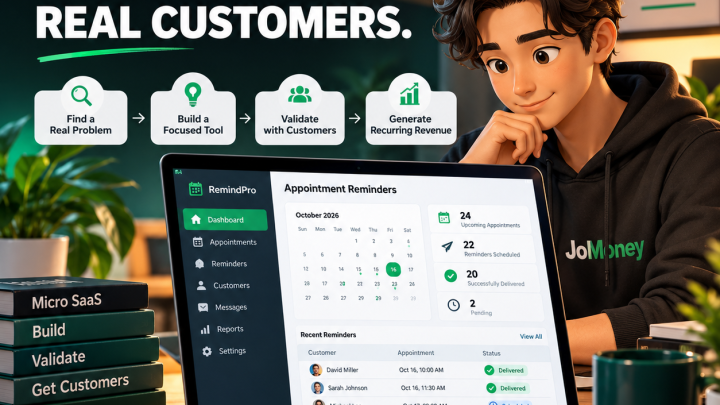
Automated reminders could help customers remember scheduled visits.
Calendar synchronization could reduce duplicate entries.
However, the system would also need to handle cancellations, schedule changes, employee absences, and incorrect customer information.
These exceptions are where seemingly simple booking systems become more complicated.
What a Freelancer Could Deliver
A provider could configure an existing booking platform, integrate it with the business website, and establish suitable notification workflows.
Custom development might be justified when the business has unusual scheduling rules that existing software cannot support efficiently.
The provider could also offer training, documentation, and ongoing integration support.
Implementation complexity: Moderate for standard platform configuration; potentially high for custom scheduling logic.
Business model: One-time implementation fee with optional maintenance and support.
Important limitation: Existing scheduling platforms may already provide everything the customer needs. Custom development should be justified by specific requirements.
3. Quote, Invoice, and Payment Workflow Automation
Preparing quotations is a normal part of running many service businesses.
But the process can become inefficient when information must be repeatedly copied between documents and applications.
Consider a small construction company.
A customer requests a quotation. An employee collects project details, prepares an estimate, and emails a PDF.
The customer requests a revision.
After approval, someone manually creates an invoice using the same information.
Later, another employee checks whether payment has arrived.
Each step may work individually, but transferring information between systems creates opportunities for delays and errors.
The Opportunity
A freelancer could help the business connect its quotation process with an existing accounting platform.
For example, a structured quotation form might collect customer information and project requirements.
An approved quotation could then trigger an appropriate workflow for invoice preparation.
Payment status could be synchronized through supported integrations.
This approach can reduce repetitive data entry without requiring the company to abandon its accounting software.
Why Financial Workflows Require Care
Payment and accounting processes deserve particular attention.
An incorrect invoice, duplicate payment notification, or failed synchronization can create serious operational problems.
Automations should therefore include error handling, transaction identifiers, audit records, and appropriate human review.
Sensitive payment information should be handled through established payment providers.
A developer should not attempt to create a complete accounting system merely because generating an invoice appears technically straightforward.
Implementation complexity: Moderate to high, depending on integrations and financial requirements.
Business model: Fixed implementation fee with optional monitoring and integration maintenance.
Important limitation: Financial automation may involve tax, accounting, privacy, and payment requirements that vary by jurisdiction.
4. Customer Follow-Up and Communication Automation
Some businesses lose track of customers because their communication processes are inconsistent.
A property maintenance company might complete an air-conditioning service and recommend another inspection six months later.
The recommendation is written on an invoice, but no reminder is scheduled.
Six months pass.
The customer forgets, and the business has no reliable process for following up.
A simple reminder workflow could address that gap.
Useful Applications
Customer communication automation can support appointment confirmations, quotation follow-ups, maintenance reminders, service completion notifications, and customer satisfaction requests.
The underlying logic doesn’t always require artificial intelligence.
For example, a maintenance reminder could be scheduled using the date of the last completed service.
A rule-based system might be more predictable, inexpensive, and reliable than an AI-driven workflow.
The Difference Between Helpful and Intrusive
Automation can also create problems.
Customers may not want frequent promotional messages.
Contact details may be inaccurate.
A reminder may be sent after a customer has canceled a service or requested no further communication.
The system should distinguish necessary service communication from marketing and respect applicable consent and opt-out requirements.
Message frequency, data retention, and customer preferences need careful consideration.
Implementation complexity: Low to moderate for straightforward workflows; higher when multiple systems and communication channels are involved.
Business model: Setup fee with optional recurring monitoring and maintenance.
Important limitation: Poorly designed automation can damage customer relationships rather than improve them.
5. Inventory, Order, and Supplier Workflow Digitization
Inventory management isn’t particularly exciting until a missing part delays a customer’s repair.
Consider an independent automotive workshop.
The business keeps common replacement parts in storage and orders less frequently used components from suppliers.
Inventory records are maintained in a spreadsheet.
For a small operation, this may work perfectly well.
But as the workshop grows, staff may forget to record parts taken from storage.
The spreadsheet begins to differ from actual stock levels.
Eventually, a technician discovers that a required component is unavailable.
Where Digital Services Can Help
A provider could investigate whether the business would benefit from barcode scanning, low-stock alerts, supplier order tracking, or a more structured inventory database.
The solution might involve configuring an existing inventory platform.
It might also involve connecting inventory information with the workshop’s service management software.
Custom development should be considered only when the business has requirements that existing tools cannot reasonably accommodate.
Accuracy Matters More Than Appearance
An inventory dashboard displaying incorrect stock quantities is worse than a reliable spreadsheet.
The implementation must account for stock adjustments, damaged items, returns, supplier delays, and simultaneous updates.
Staff training is equally important.
A technically sophisticated system will fail if employees find it too difficult to use consistently.
Implementation complexity: Moderate to high.
Business model: Workflow assessment, implementation fee, training, and ongoing support.
Important limitation: Inventory errors can disrupt operations. Providers need to understand the business’s physical processes before automating them.
6. Small-Business Reporting Dashboards
Business owners often have access to more information than they can easily interpret.
Sales may be recorded in one application.
Customer inquiries arrive through another.
Appointments are managed elsewhere.
Invoices and payments appear in an accounting platform.
The information exists, but answering a simple business question may require opening several systems.
For example:
How many quotations were sent last month, and how many became completed jobs?
A reporting dashboard could make that information easier to access.
Start With the Question, Not the Chart
Many dashboards look impressive because they contain colorful graphs.
But visual complexity doesn’t necessarily produce useful information.
A small service business may need only a handful of indicators:
- New customer inquiries
- Quotations awaiting approval
- Completed service jobs
- Outstanding invoices
- Repeat customers
The correct indicators depend on the company’s operations.
A freelancer should begin by asking what decisions the owner needs to make.
Then determine which information supports those decisions.
The Integration Challenge
Reporting systems depend on accurate data.
If customer records are duplicated or payment statuses are outdated, the dashboard may produce misleading results.
Data definitions must also be consistent.
For example, does a completed job mean the technician finished the work, the customer approved it, or the invoice was paid?
These distinctions should be resolved before building reports.
Implementation complexity: Moderate for simple reporting; high when multiple complex systems must be integrated.
Business model: Initial dashboard development with optional recurring reporting, monitoring, and integration maintenance.
Important limitation: A dashboard cannot compensate for poor underlying data quality.
7. AI-Assisted Administrative Workflow Automation
Artificial intelligence creates additional opportunities for digital service providers, but it also introduces new responsibilities.
Consider a small equipment rental business receiving inquiries through email.
Customers describe the equipment they need, rental dates, delivery locations, and project requirements.
An AI-assisted workflow might classify incoming inquiries and prepare draft responses for employees to review.
It could also extract relevant information into a structured request record.
This might reduce repetitive administrative work.
But the system shouldn’t independently promise equipment availability or approve unusual rental terms without appropriate safeguards.
Where AI Can Be Useful
AI may be suitable for summarizing service requests, organizing incoming messages, extracting information from documents, drafting routine communications, and helping employees search internal documentation.
These tasks involve interpreting information that may not follow a consistent structure.
By contrast, a rule-based system may be preferable when the workflow is predictable.
For example, sending a reminder exactly three days before a scheduled appointment generally doesn’t require AI.
The Risks of AI Automation
AI-generated information can be incorrect.
A system might misunderstand a customer request, invent details, or produce an inappropriate response.
Documents and messages may also contain malicious instructions intended to manipulate automated systems.
Businesses must consider privacy, access permissions, prompt injection, API expenses, and the consequences of incorrect actions.
Human approval should remain part of workflows involving significant financial commitments, sensitive information, or important customer decisions.
Implementation complexity: Moderate to high, depending on the workflow and required safeguards.
Business model: Initial assessment and implementation, followed by managed monitoring, support, and usage-based services.
Important limitation: AI is not automatically the most reliable or economical way to automate a process.
The B.O.R.I.N.G. Opportunity Test
After examining these seven services, a natural question emerges.
Which opportunity should you pursue?
A useful starting point is to evaluate each idea against the same criteria.
The B.O.R.I.N.G. Opportunity Test is a practical framework for comparing digital service opportunities in traditional industries.
It isn’t a scientifically validated predictor of business success. Its purpose is to encourage structured thinking before investing time or money.
| Factor | Evaluation Question | Score |
|---|---|---|
| B — Business Impact | Does the problem meaningfully affect operations, revenue, time, or customer experience? | 1–5 |
| O — Ongoing Need | Does the problem occur regularly? | 1–5 |
| R — Readiness to Pay | Is there credible evidence that customers have the budget and willingness to pay? | 1–5 |
| I — Implementation Feasibility | Can you deliver the solution reliably with your available skills and resources? | 1–5 |
| N — Necessary Maintenance | Can the ongoing support obligations be handled sustainably? | 1–5 |
| G — Growth Potential | Can the service be repeated for similar customers without rebuilding everything? | 1–5 |
| Total | 30 maximum |
For Necessary Maintenance, a higher score means the expected maintenance burden is more manageable relative to the proposed fees.
Applying the Framework
Suppose you’re considering offering appointment automation to independent cleaning companies.
You discover that several businesses struggle with scheduling.
That’s evidence of a possible operational problem.
But further research reveals that most already use inexpensive scheduling applications.
Your proposed service may have limited differentiation.
Alternatively, you might discover that some companies need help connecting their existing booking system with employee schedules and customer notifications.
That could represent a more specific opportunity.
The framework encourages you to evaluate the actual service rather than becoming attached to the original idea.
A high score doesn’t guarantee demand.
A low score doesn’t automatically mean the opportunity should be abandoned.
The value comes from identifying assumptions that need further investigation.
How Much Can You Charge for Digital Services?
Pricing depends on the service, the customer’s requirements, the provider’s experience, and the local market.
A basic website for a small service company is fundamentally different from a custom inventory system connected to multiple suppliers.
Both require technical work, but their complexity and responsibilities differ considerably.
The following figures are hypothetical planning examples, not verified market averages or recommended minimum rates.
| Digital Service | Illustrative Setup Fee | Possible Ongoing Service |
|---|---|---|
| Small-business website | $800–$2,500 | Website maintenance |
| Booking system implementation | $500–$2,000 | Integration support |
| Quote and invoice automation | $700–$3,000 | Monitoring and maintenance |
| Customer follow-up automation | $300–$1,500 | Managed communication workflows |
| Inventory workflow digitization | $1,000–$5,000+ | System support |
| Reporting dashboard | $600–$3,000 | Reporting maintenance |
| AI workflow automation | $800–$4,000+ | Managed automation |
Actual projects may cost substantially less or more.
A freelancer should calculate pricing based on the work required, project risks, direct expenses, and a reasonable allowance for revisions and support.
Project-Based Pricing
A fixed project fee can work well when requirements are clearly defined.
For example, a website project might include five service pages, a contact form, basic technical SEO, mobile-responsive design, and deployment.
The agreement should specify revision limits, content responsibilities, delivery milestones, and what happens when the client requests additional functionality.
Without clear boundaries, a seemingly profitable project can become financially unattractive.
Monthly Maintenance Agreements
Recurring maintenance can provide more predictable revenue for service providers.
But it also creates recurring responsibilities.
A maintenance agreement might include scheduled updates, backups, uptime monitoring, security checks, and a defined amount of technical support.
The fee should reflect the actual work and risk involved.
Charging for maintenance without providing meaningful ongoing services damages trust.
Managed Automation Services
Automated workflows may require monitoring because external APIs, authentication credentials, business rules, and software integrations can change.
A managed service could include failure alerts, periodic testing, and troubleshooting.
However, providers need to account for software subscriptions, messaging charges, API usage, and support time.
Recurring revenue is not automatically recurring profit.
A Simple Revenue Illustration
Imagine a freelancer maintains ten small-business websites.
Each client pays a hypothetical $75 per month.
That produces $750 in monthly revenue.
If the provider spends $150 on shared tools and infrastructure, $600 remains before taxes, labor, and other expenses.
Now suppose each client requires an average of one hour of support and maintenance per month.
That’s ten hours of work.
The provider needs to evaluate whether the remaining amount adequately compensates that time, administrative responsibilities, and business risk.
This is why service packages should be designed around realistic operating costs rather than attractive revenue totals.
How to Find Your First Small-Business Clients
Finding customers begins with understanding which businesses are likely to benefit from your services.
A business having an old website doesn’t necessarily mean it needs a new one.
A company using spreadsheets doesn’t necessarily need custom software.
You need evidence of an actual problem.
Research One Industry
Choose a specific industry and investigate how its businesses operate.
For example, you might focus on independent auto repair workshops.
Study how they manage appointments, communicate with customers, order replacement parts, and prepare invoices.
Look for recurring workflows that could benefit from improved systems.
This research helps you ask more useful questions during customer conversations.
Approach Business Owners With Specific Questions
A generic message offering website development or AI automation gives a business owner little reason to respond.
A more useful conversation might begin with a question about how the company currently handles appointment changes or quotation follow-ups.
The objective is to learn, not immediately sell.
If the owner describes a recurring problem, you can investigate whether a practical solution exists.
Build Relationships With Complementary Professionals
Accountants, marketing consultants, business advisers, and other service providers may encounter operational problems outside their expertise.
Professional relationships can create opportunities for referrals and collaboration.
However, referrals should be based on trust and relevant expertise, not exaggerated promises.
Publish Useful Educational Content
A freelancer specializing in cleaning businesses could publish guides about organizing appointment requests, reducing scheduling errors, or choosing booking software.
These articles can demonstrate an understanding of the industry’s problems.
They may also help prospective customers discover the provider through search engines.
Results are uncertain, and useful content should not be treated as a guaranteed source of leads.
Use Existing Professional Relationships
Previous clients and colleagues may already understand your reliability.
If you have completed website projects, you might discover that some clients need help maintaining integrations or improving administrative workflows.
Existing relationships can make discovery conversations easier.
However, additional services should be recommended only when they provide genuine value.
Starting a Digital Service Business Without a Large Budget
You don’t necessarily need an office, employees, or expensive software subscriptions to begin investigating a digital service opportunity.
You do need relevant skills and a realistic understanding of what you can deliver.
Start by choosing one industry and one service.
For example, you might focus on developing inquiry management websites for independent property maintenance businesses.
Research the workflow, learn the necessary technology, and build a demonstration project.
A demonstration should clearly be presented as sample work, not as a completed client project.
Next, prepare a defined service package.
Explain what the customer receives, what information they must provide, how long implementation may take, and which services are excluded.
A clear proposal can be more valuable than an impressive portfolio filled with unrelated projects.
Know When a Project Exceeds Your Expertise
Some projects involve substantial risk.
Financial integrations, customer data processing, access-control systems, and business-critical automation require appropriate technical competence.
Beginners should avoid accepting complex assignments they cannot implement and maintain safely.
A smaller, well-delivered project is a stronger foundation for a service business than an ambitious project that fails after launch.
A Practical 30-Day Plan to Investigate Your First Opportunity
The following plan focuses on validating a digital service offer.
It doesn’t guarantee that you’ll acquire a client or earn income within thirty days.
| Week | Objective | Expected Output |
|---|---|---|
| Week 1 | Research an industry | A documented problem and target customer |
| Week 2 | Develop a demonstration | A working prototype or service example |
| Week 3 | Conduct discovery conversations | Customer feedback and refined requirements |
| Week 4 | Prepare a pilot offer | A proposal and decision about next steps |
Week 1: Choose an Industry
Select an industry you understand or can realistically research.
Investigate common workflows, existing software, and operational challenges.
Identify one problem that appears meaningful.
Week 2: Build a Focused Demonstration
Create a demonstration showing how your proposed service addresses the problem.
Avoid building unnecessary features.
The objective is to communicate the workflow and its potential value.
Week 3: Speak With Potential Customers
Contact relevant businesses respectfully.
Ask about their current processes, challenges, and existing solutions.
Use the feedback to improve your understanding.
If the problem isn’t important to them, reconsider the offer.
Week 4: Prepare a Pilot Proposal
For interested prospects, prepare a clear proposal.
Define the scope, deliverables, responsibilities, price, and support terms.
If no credible demand emerges, investigate why before investing further.
The goal is to finish the month with better evidence, not simply a larger portfolio.
Mistakes That Can Make a Digital Service Business Fail
Technical ability is important, but it doesn’t guarantee a successful service business.
One common mistake is recommending technology before understanding the customer’s problem.
A business may need a simpler workflow rather than an expensive application.
Another mistake is underestimating project scope.
A basic booking integration can become complicated when customers introduce unusual scheduling rules, multiple locations, or specialized approval processes.
Poorly defined support agreements create similar problems.
If a monthly maintenance package promises unlimited assistance, the provider may eventually spend more time supporting the client than the fee can justify.
Security and privacy also deserve attention.
A digital service provider may gain access to customer information, payment workflows, and operational systems.
Those responsibilities should be reflected in the development process and contractual arrangements.
Other risks include choosing unsuitable software, underpricing recurring services, relying too heavily on one customer, and promising automation results that cannot be reliably delivered.
A sustainable service business needs clear boundaries, dependable implementation, and realistic expectations.
Frequently Asked Questions
What Digital Services Are Most Useful to Small Businesses?
The most useful services depend on the business’s actual problems. Common possibilities include website development, booking systems, payment workflow integration, customer communication automation, inventory management, reporting dashboards, and administrative automation.
Can Beginners Start a Digital Service Business?
Yes, beginners can start with narrowly defined services that match their abilities. However, they should develop practical skills, test their work, and avoid accepting security-critical or financially sensitive projects beyond their competence.
Which Industries May Benefit From Workflow Automation?
Service contractors, repair workshops, cleaning companies, equipment rental businesses, wholesalers, and other organizations with repetitive administrative processes may benefit. The opportunity depends on their existing systems and whether automation would provide sufficient value.
Can AI Help Deliver Digital Services?
AI can assist with drafting, information extraction, classification, software development, and certain administrative workflows. However, generated outputs require appropriate review, and sensitive or high-impact processes need additional safeguards.
How Can Freelancers Generate Recurring Revenue From Small-Business Clients?
Recurring revenue may come from website maintenance, technical support, integration monitoring, managed automation, reporting services, and other ongoing responsibilities. The service should provide continuing value, and pricing must account for the time and costs involved.
Conclusion: The Opportunity Is in the Problem, Not the Industry
It’s tempting to assume that the most promising digital business opportunities must involve emerging technologies or rapidly growing markets.
But ordinary businesses have ordinary problems.
Appointments need organizing. Quotations need following up. Inventory records need maintaining. Customer inquiries need answering.
Some businesses already handle these responsibilities efficiently.
Others struggle with processes that have become increasingly difficult to manage.
For independent developers, freelancers, and digital entrepreneurs, the opportunity lies in understanding that difference.
A small plumbing company may not need an elaborate AI platform.
It may need a reliable way to organize service requests.
An independent wholesaler may not need a sophisticated analytics system.
It may need accurate stock information and timely reorder alerts.
The most commercially useful solution isn’t necessarily the most technically impressive one.
It’s the solution that addresses a meaningful problem at a cost the customer considers reasonable.
Before deciding what digital service to offer, spend time understanding how a particular business operates.
Identify one recurring difficulty.
Investigate the alternatives.
Determine whether solving it would create measurable value.
Then decide whether you can deliver that improvement reliably and profitably.
The next opportunity worth pursuing may not be hiding in a new technology trend. It may be sitting inside an ordinary business, waiting for someone to understand a problem that has gone unresolved for years.

Discussion